The job Qurxa is doing
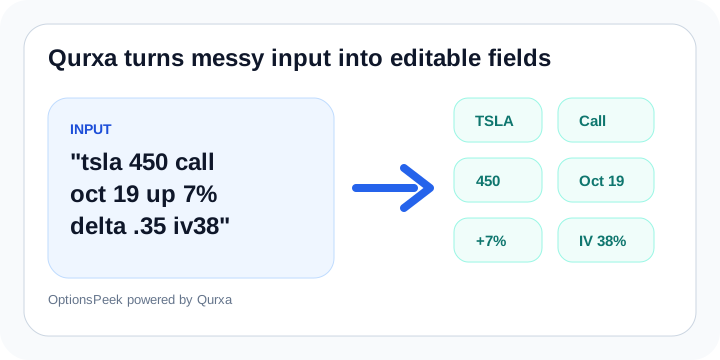
Qurxa reads option shorthand, natural language, and screenshots, then pulls the scenario into the calculator fields. That includes ticker, type, strike, expiration, stock move, stock price, Greeks, and implied volatility when those values are present.
The goal is not to make input feel formal. The goal is to let a trader describe the scenario in the way they naturally think about it and still end up with a usable estimate. The standalone Qurxa site is now live at Qurxa.com for the broader input-engine story.
Why spoken-style parsing matters
Real users do not always type in chain-style shorthand. They say things like stock at 350, stock price is 350, or implied volatility 38. Qurxa needs to understand that because voice input and casual typing are both part of how people actually use tools on mobile.
That is why the recognition map keeps expanding beyond just symbols and rigid syntax.
Where it helps most
Qurxa helps most when the scenario starts messy: a quick note, a spoken-style question, a copied contract line, or a screenshot with partial values. Instead of forcing everything into a rigid form first, Qurxa tries to identify the useful pieces and lets you review them before calculating.
That review step matters. Manual values are still authoritative in OptionsPeek, so Qurxa is there to speed up entry, not to hide assumptions from you.